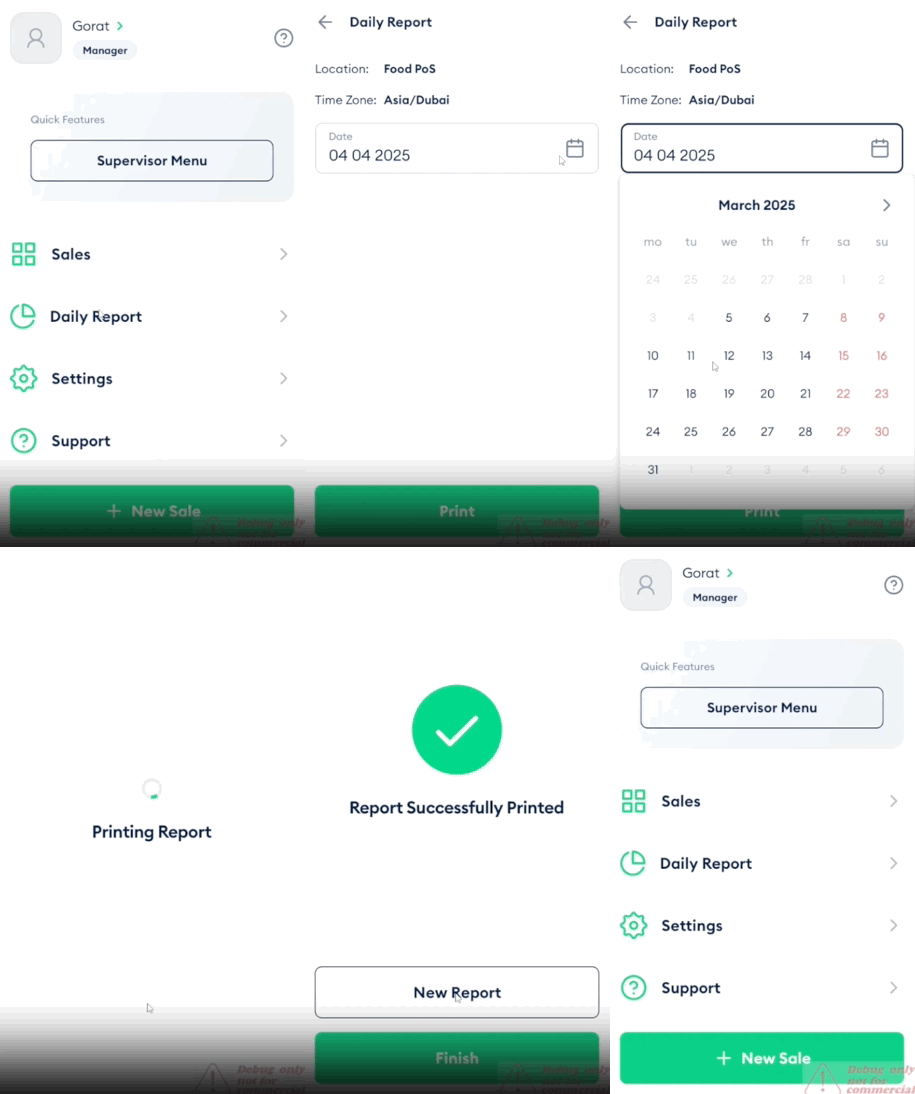
The Daily Report shows your balance for a selected day within the last 30 days. It includes credits and debits, broken down by payment method such as cash, card, and payment link.
Steps
Log in to the Fortis POS App.
On the main screen, tap Daily Report.
Tap Date and select the required day within the 30-day range.
Tap Print.
After the receipt is printed, tap Finish to return to the main screen, or tap New Report to print another daily report.