While our Fortis payment solution is designed to be flawless, we understand that human errors can occur, necessitating a refund. This tutorial is here to guide you through this crucial process, ensuring you can navigate it with ease.
How to Process a Refund from the Fortis POS App
Log in to the Fortis POS App.
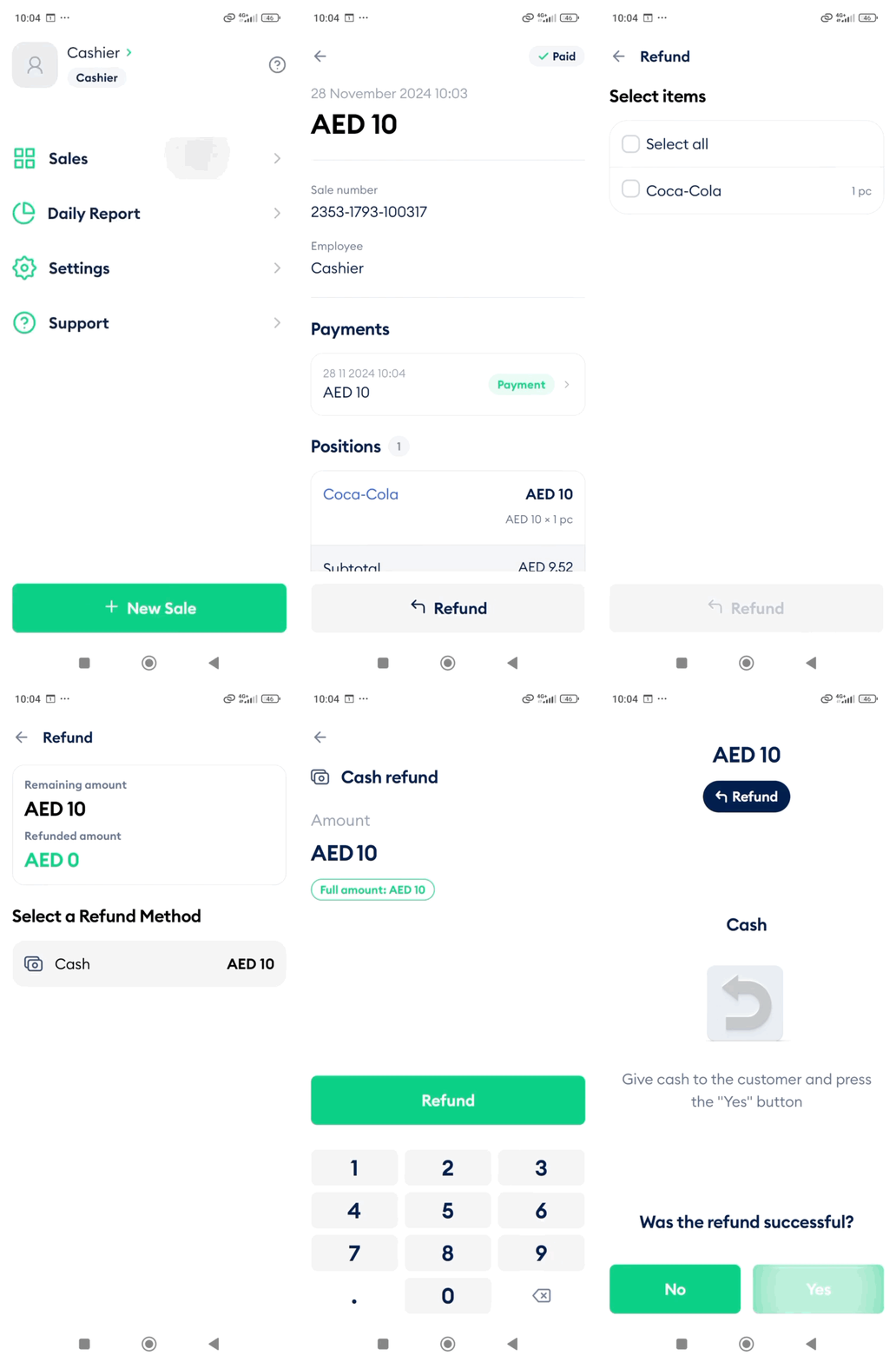
From the main screen, open Sales.
Locate the transaction you want to refund. Use the search icon and enter the receipt or transaction number if needed.
Open the sale and tap Refund at the bottom of the screen.
Choose whether to refund the full amount or specific items. The app will automatically calculate the refund total.
Confirm the refund details and tap Refund.
If the original payment was made in cash or by transfer, confirm that the refund has been returned to the customer.
The POS device prints the refund receipt. Tap Finish.
The app returns to the main screen, and the sale status updates to Refunded.
Card Payment Refund and Void Guidelines
For payments made using a card machine issued by Network International, the refund process depends on whether the transaction was made before or after the End-of-Day (Z Report).
- If the transaction was made on the same day before running the End-of-Day (Z Report), the system will perform a Void. A Void cancels the transaction before settlement and automatically refunds the full amount to the customer.
- During the same day, both full refunds and partial refunds can be processed directly through the POS machine before running the End-of-Day (Z Report).
- If the End-of-Day (Z Report) has already been performed after the transaction, the transaction can no longer be voided from the POS machine. In this case, the refund cannot be processed directly from the terminal and must be raised through Network International.
-
To request a refund in this situation, please email the Fortis Support team at support@fortis.world with the following details so the refund request can be raised with Network International:
- Date of Transaction
- Merchant ID (MID)
- Card Number
- Auth Code
- Transaction Amount
- Refund Amount
Cash Payments Refunds
Cash payments can be refunded at any time directly from the POS system.